
Thumbnail Generator
Pan: drag canvas (Space to force). Zoom (BG): slider or Alt/Option + wheel. Scale (anchor): wheel over anchor (no Alt). Drop files here (Alt = Anchor).
Backgrounds
 Example: gallery thumbnails are compact working previews. They help identify plain slides, Full Show slides, and Anchor Comp slides. CTV branding/template still applies in the main preview and export.
Choose files or drop images here
100%
Allow blank areas
📝 Patch Notes / Recent Updates
Summary: Recent workflow, overlay, anchor, gallery, export, help, and visual updates added to the Thumbnail Generator.
Background Uploads & Gallery
- Background uploads add to the existing gallery instead of replacing it.
- The Backgrounds upload area supports drag-and-drop.
- The filmstrip auto-scrolls to the active background image.
- Slides with Anchor Comp enabled display an Anchor marker in the gallery.
Preview & Contextual Help
- The outdated top Help button and Keyboard Shortcuts popover were removed.
- The visible Preview heading was removed to reduce clutter.
- The preview toolbar help was consolidated into a single ? hover panel explaining Center Anchor, Center Pan, Fit Anchor Width, Fit Anchor Height, Guides, Current PNG, and Download All PNGs.
- Filename Template now has a ? hover panel explaining
{index2},{sourceBase},{date}, and{show}. - Additional contextual help images were added for feature/special-segment comps, Full Show, Deinterlace, gallery previews, and Anchor Comp usage.
Anchor Image Workflow
- Added ⭐ Set as Anchor for moving a selected gallery image into the anchor/featured image slot.
- Anchor images are automatically centred and made cropper-ready.
- Anchor Comp can be enabled per slide so batch exports can mix regular slides and anchor comp slides.
- Deinterlace applies to both background images and anchor images.
Additional Overlays
- Additional Overlays have their own upload/drop area.
- Additional Overlays appear in a list with on/off toggles.
- Additional Overlays include small preview thumbnails.
- Additional Overlays default to off when first loaded or newly uploaded.
- Uploaded overlay visibility is remembered in the browser once changed/saved.
- Built-in Additional Overlays load from
additional custom overlays/manifest.json. - The Additional Overlays section includes a hover help example for feature/special-segment comp usage.
Overlay Asset Status
- Added an Overlay Asset Status panel listing referenced overlay files and whether they are available or missing.
- The compact top-bar overlay status remains for quick readiness checks.
Dark Mode
- Added a Dark Mode toggle in the top app bar.
- Dark Mode is visual only and does not affect exported PNGs.
- The Dark Mode preference is remembered in the browser.
Canvas & Export Improvements
- Background images can be moved more freely beyond the canvas bounds.
- Duplicate slides clone image resources safely so deleting one duplicate does not break another.
- Main preview and exports preserve the intended layer order, including the CTV/template overlay.
UI & Workflow Improvements
- Additional Overlay visibility is now remembered independently per slide.
- Lite Mode now automatically enables Deinterlace processing for simplified workflows.
- Contextual help previews now intelligently reposition to remain fully visible inside the browser window.
- Filmstrip thumbnails now display visual Anchor Comp indicators for quicker identification during batch workflows.
- Images can now be pasted directly from the clipboard into the background gallery.
- Holding Alt/Option while dropping files anywhere in the app imports them directly as Anchor images.
Deployment Notes
- Expected overlay folder:
additional custom overlays/ - Expected reference example folder:
reference files/ - Expected reference files include
TEEUP.jpg,full-show.png,deinterlace-example.png,gallery-preview-example.png, andanchor-comp-example.png.
Anchor & Overlays
Choose one or more files, or drop anchor images here
Choose which anchor image applies to this slide.
Wheel over anchor (no Alt) scales anchor • Rotate with slider. Drop a file while holding Alt to set it as Anchor.
 Example: left side shows the Full Show overlay enabled; right side shows the same style of image without the Full Show overlay.
 Example: Anchor Comp applies the selected anchor/host image to this slide only. Use this for feature or special-segment comps inside a larger batch export.
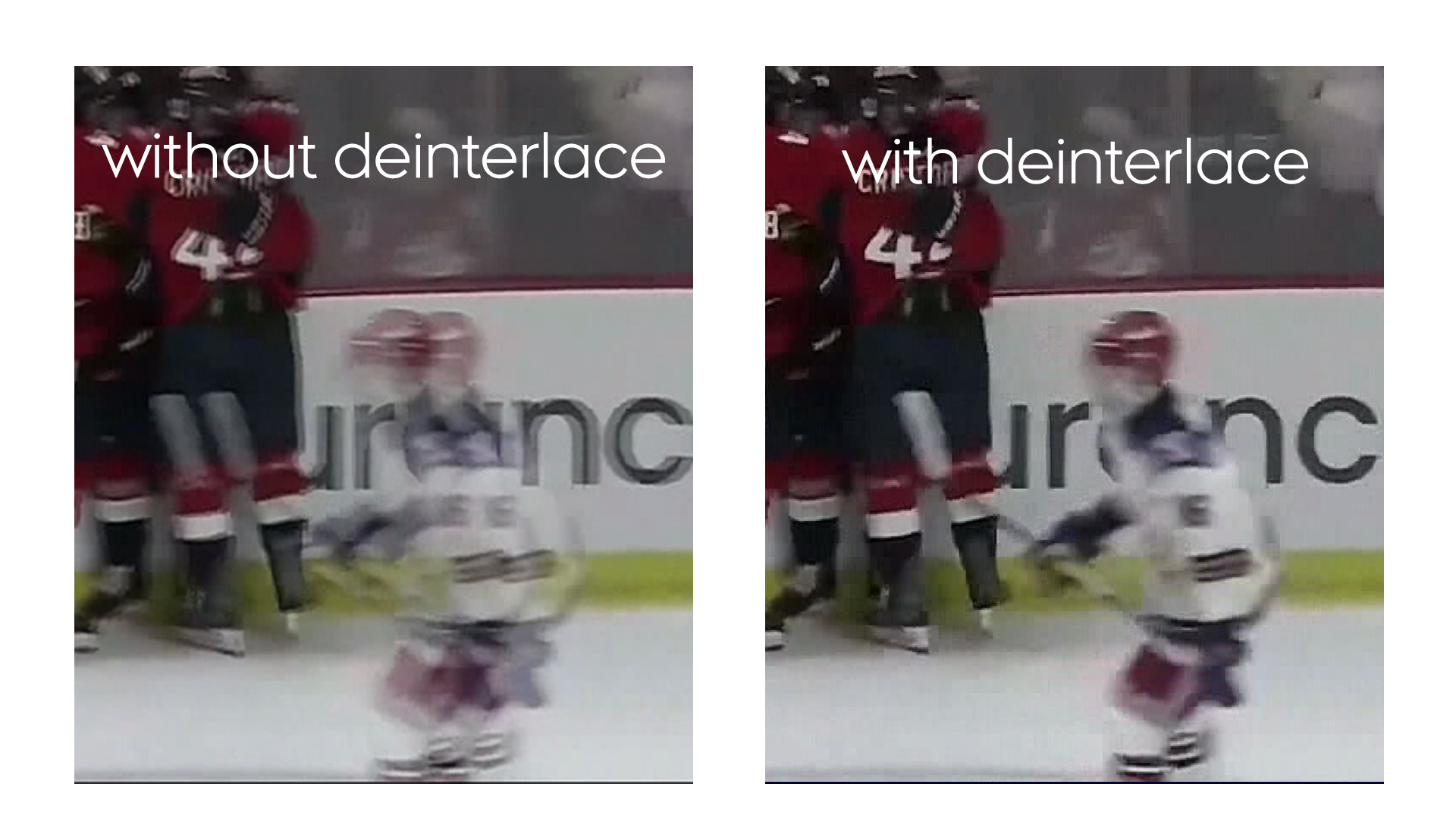 Example: left side shows the still without Deinterlace applied; right side shows the still with Deinterlace applied.

Choose PNG overlays or drop them here
Filename Template
Filename template:{index2}: two-digit slide number, such as01,02,03.{sourceBase}: original background filename without the file extension.{date}: today’s date inYYYY-MM-DDformat.{show}: optional show slug from the Show slug field.
{index2}-{sourceBase}_YTThumb.png could export as 01-story-image_YTThumb.png.
Tokens: {index2}, {sourceBase}, {date}, {show}